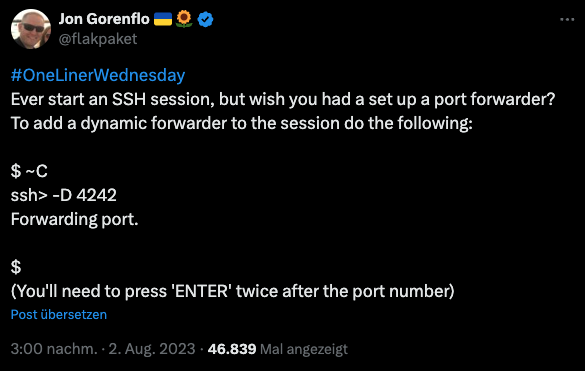
Jon Gorenflo’s tweet shares a handy SSH trick for dynamically adding port forwarding to an existing SSH session. I haven’t seen it anywhere else and wanted to share it here.. This technique allows users to set up port forwarding on-the-fly, without having to disconnect and reconnect.
To use this trick:
- While in an SSH session, type
~C(tilde followed by capital C) - At the “ssh>” prompt, enter
-Dfollowed by the desired port number (e.g.-D 4242) or other ssh flags listed at the end of the article like-L 8080:localhost:8000 - Press Enter twice
This opens a SOCKS proxy on the specified local port, tunneling through your SSH connection. It’s particularly useful when you realize you need port forwarding after already connecting to a remote system.
Important Note: If you encounter a “commandline disabled” error when trying to use the ~C escape sequence, you may need to explicitly enable this functionality. Add the following line to your SSH config file (~/.ssh/config):
EnableEscapeCommandline yesAlternatively, you can specify this option when initiating the SSH connection:
ssh -o EnableEscapeCommandline=yes user@hostThis ensures that the escape command line is available during your SSH session.
From the ssh man pages:
ESCAPE CHARACTERS
     When a pseudo-terminal has been requested, ssh supports a number of
     functions through the use of an escape character.

     A single tilde character can be sent as ~~ or by following the tilde
     by a character other than those described below.  The escape charac‐
     ter must always follow a newline to be interpreted as special.  The
     escape character can be changed in configuration files using the
     EscapeChar configuration directive or on the command line by the -e
     option.

     The supported escapes (assuming the default ‘~’) are:

     ~.      Disconnect.

     ~^Z     Background ssh.

     ~#      List forwarded connections.

     ~&      Background ssh at logout when waiting for forwarded connec‐
             tion / X11 sessions to terminate.

     ~?      Display a list of escape characters.

     ~B      Send a BREAK to the remote system (only useful if the peer
             supports it).

     ~C      Open command line.  Currently this allows the addition of
             port forwardings using the -L, -R and -D options (see
             above).  It also allows the cancellation of existing port-
             forwardings with -KL[bind_address:]port for local,
             -KR[bind_address:]port for remote and -KD[bind_address:]port
             for dynamic port-forwardings.  !command allows the user to
             execute a local command if the PermitLocalCommand option is
             enabled in ssh_config(5).  Basic help is available, using
             the -h option.

     ~R      Request rekeying of the connection (only useful if the peer
             supports it).

     ~V      Decrease the verbosity (LogLevel) when errors are being
             written to stderr.

     ~v      Increase the verbosity (LogLevel) when errors are being
             written to stderr.